## 前言
关于clientX,screenX,pageX,offsetX的区别之前也比较迷糊,然后自己写了几个demo算是弄明白了,在这记录一下。
定义
一、clientX、clientY
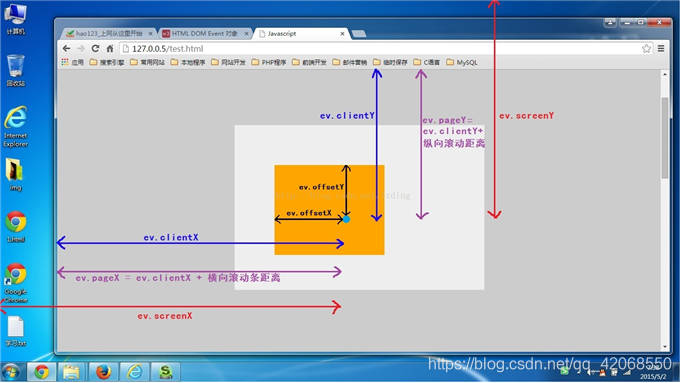
点击位置距离当前body可视区域的x,y坐标。
可以理解为距离浏览器窗口的距离,但注意这里不包括浏览器的导航栏距离只是浏览器内容区域。
二、pageX、pageY
对于整个页面来说,包括了被卷去的body部分的长度
相对于文档边缘,包含滚动条距离
三、screenX、screenY
点击位置距离当前电脑屏幕的x,y坐标
四、offsetX、offsetY
相对于带有定位的父盒子的x,y坐标
贴图
下面这张图很清楚的标明了
demo
下面来看一个小demo加深理解
1
2
3
4
5
6
7
8
9
10
11
12
13
14
15
16
17
18
19
20
21
22
23
24
25
26
27
28
29
30
31
32
33
34
35
36
37
38
39
40
41
42
43
44
45
46
| <!DOCTYPE html>
<html lang="en">
<head>
<meta charset="UTF-8">
<meta name="viewport" content="width=device-width, initial-scale=1.0">
<meta http-equiv="X-UA-Compatible" content="ie=edge">
<title>Document</title>
<style>
*{
margin: 0;
padding: 0;
}
.big{
width: 300px;
height: 1000px;
background-color: greenyellow;
margin: 0 auto;
position: absolute;
}
#div{
width: 200px;
height: 200px;
background-color: skyblue;
margin: 150px auto;
position: relative;
}
</style>
</head>
<body>
<div class="big">
<div id="div"></div>
</div>
<script>
var div = document.getElementById("div")
div.onclick = function (e) {
console.log('clientY',e.clientY)
console.log('screenY',e.screenY)
console.log('pageY',e.pageY)
console.log('offsetY',e.offsetY)
console.log('下一个')
}
</script>
</body>
</html>
|
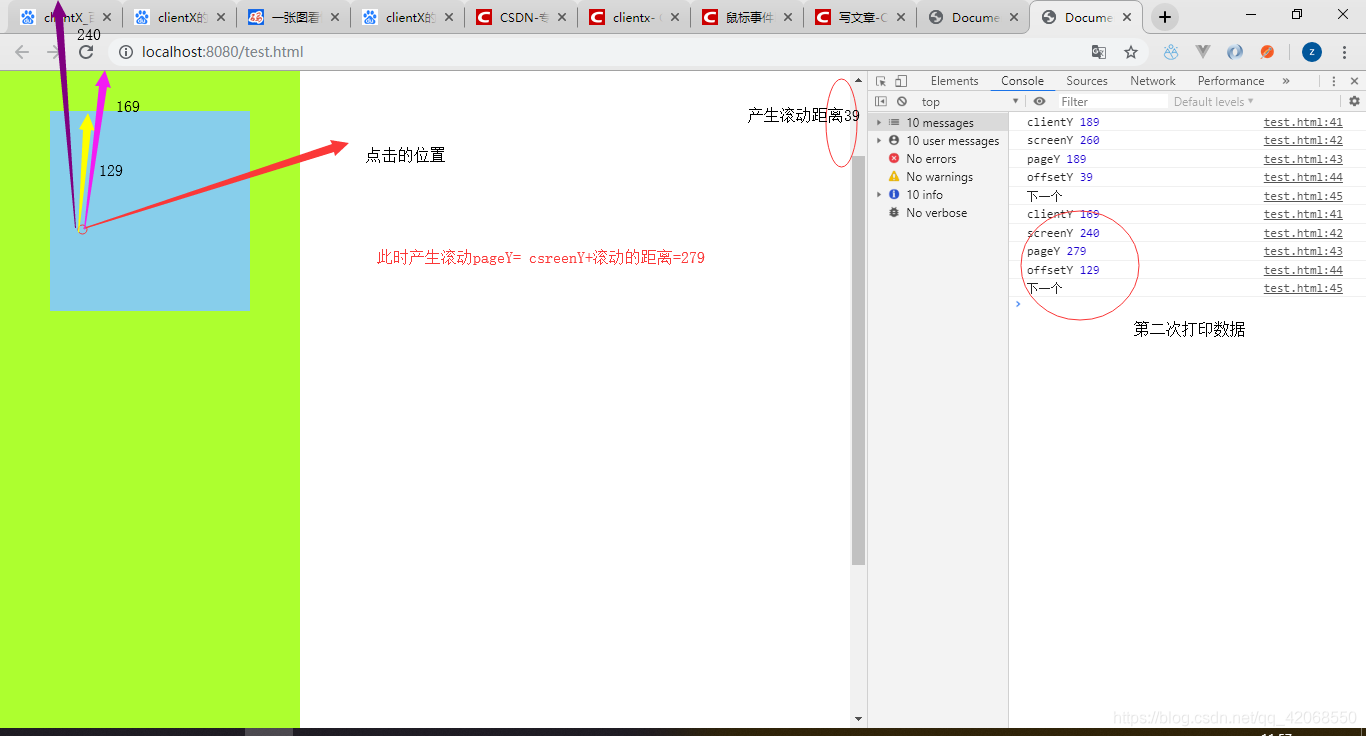
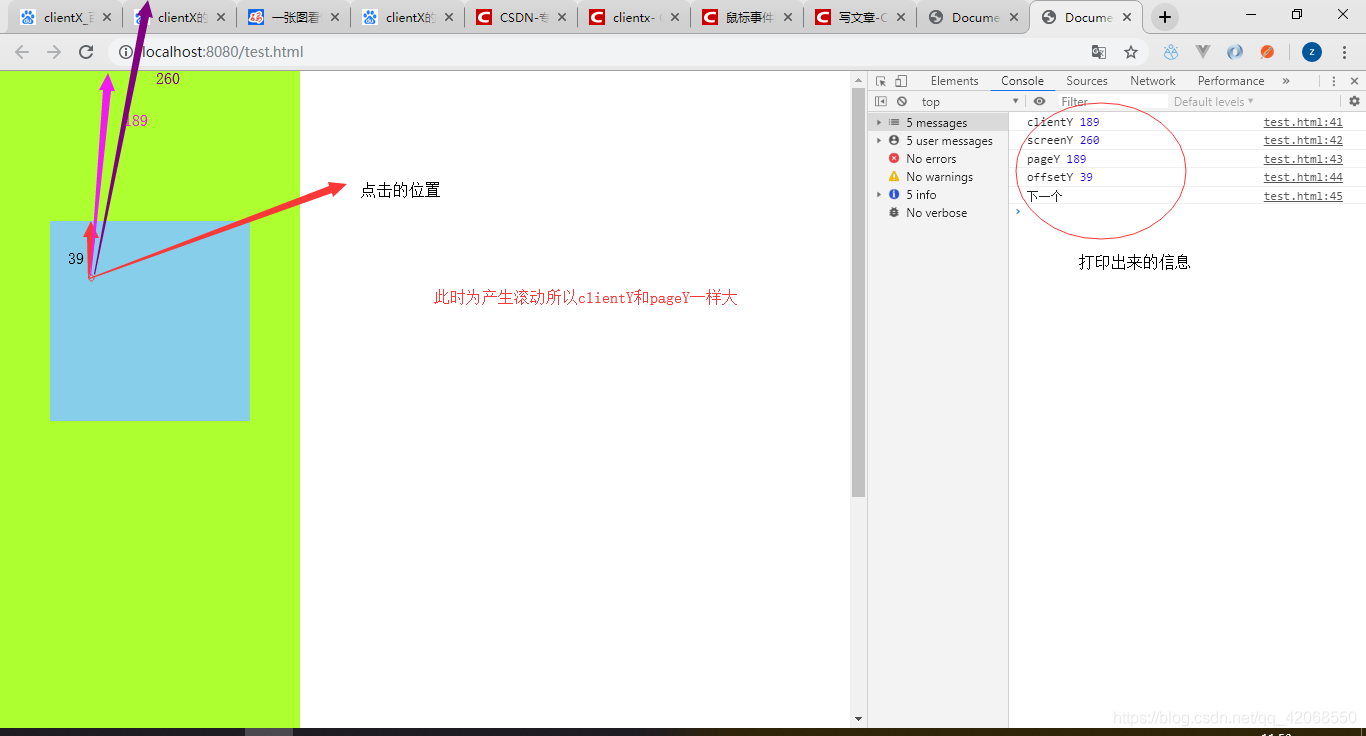
效果图
未滚动时:
滚动时: