## 兄弟组件间通信(event)
借助于一个公共的Vue的实例对象,不同的组件可以通过该对象完成事件的绑定和触发
1
2
3
4
| var bus = new Vue();
bus.$emit()
bus.$on()
|
熊大想要发消息给熊二
接收方(熊二):事件绑定
1
2
3
| bus.$on('customEvent',function(msg){
})
|
发送方(熊大):触发事件
1
| bus.$emit('customEvent',123);
|
Demo
1
2
3
4
5
6
7
8
9
10
11
12
13
14
15
16
17
18
19
20
21
22
23
24
25
26
27
28
29
30
31
32
33
34
35
36
37
38
39
40
41
42
43
44
45
46
47
48
49
50
51
52
53
54
55
56
57
58
59
60
61
62
63
64
65
66
67
68
69
70
71
72
73
74
75
| <!doctype html>
<html>
<head>
<meta charset="UTF-8">
<title></title>
<script src="js/vue.js"></script>
</head>
<body>
<div id="container">
<p>{{msg}}</p>
<xiongda></xiongda>
<hr>
<xionger></xionger>
</div>
<script>
var bus = new Vue();
Vue.component("xiongda",{
data:function(){
return {
xiongDaInput:""
}
},
methods:{
sendToXiongEr:function(){
bus.$emit("msgToXiongEr",this.xiongDaInput);
this.xiongDaInput = "";
}
},
template:`
<div>
<h1>我是熊大</h1>
<input type="text" v-model="xiongDaInput"/>
<button @click="sendToXiongEr">Click Me</button>
</div>
`
})
Vue.component("xionger",{
data:function(){
return{
recvMsgIs:[]
}
},
template:`
<div>
<h1>我是熊二</h1>
<p v-for="tmp in recvMsgIs">{{tmp}}</p>
</div>
`,
mounted:function(){
var that = this;
bus.$on("msgToXiongEr",function(msg){
that.recvMsgIs.push(msg);
})
}
})
new Vue({
el:"#container",
data:{
msg:"Hello VueJs"
}
})
</script>
</body>
</html>
|
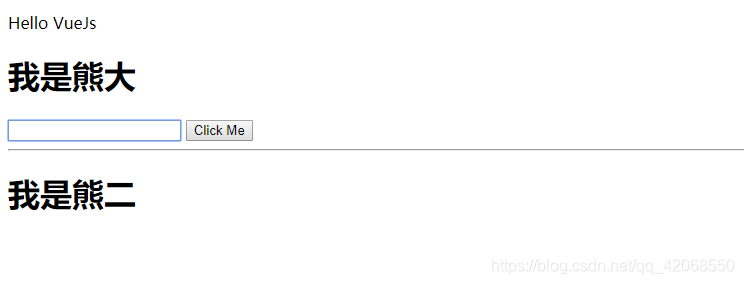
效果图